NVIDIA Sells the Whole Ladder. Your Startup Needs One Rung.
Our map of the NVIDIA ecosystem counts 314 product and model families across 25 domains. Here is the stack in plain English, nine starter setups from a GPU-less laptop to a rented H100, the memory math that picks your hardware, and the traps that quietly eat a seed round.
By Silicon Tales · · 22 min read
314
product and model families in our catalog
25
domains, from robots to radio networks
9
starter setups, ranked as a ladder
$0
hardware needed for rung zero
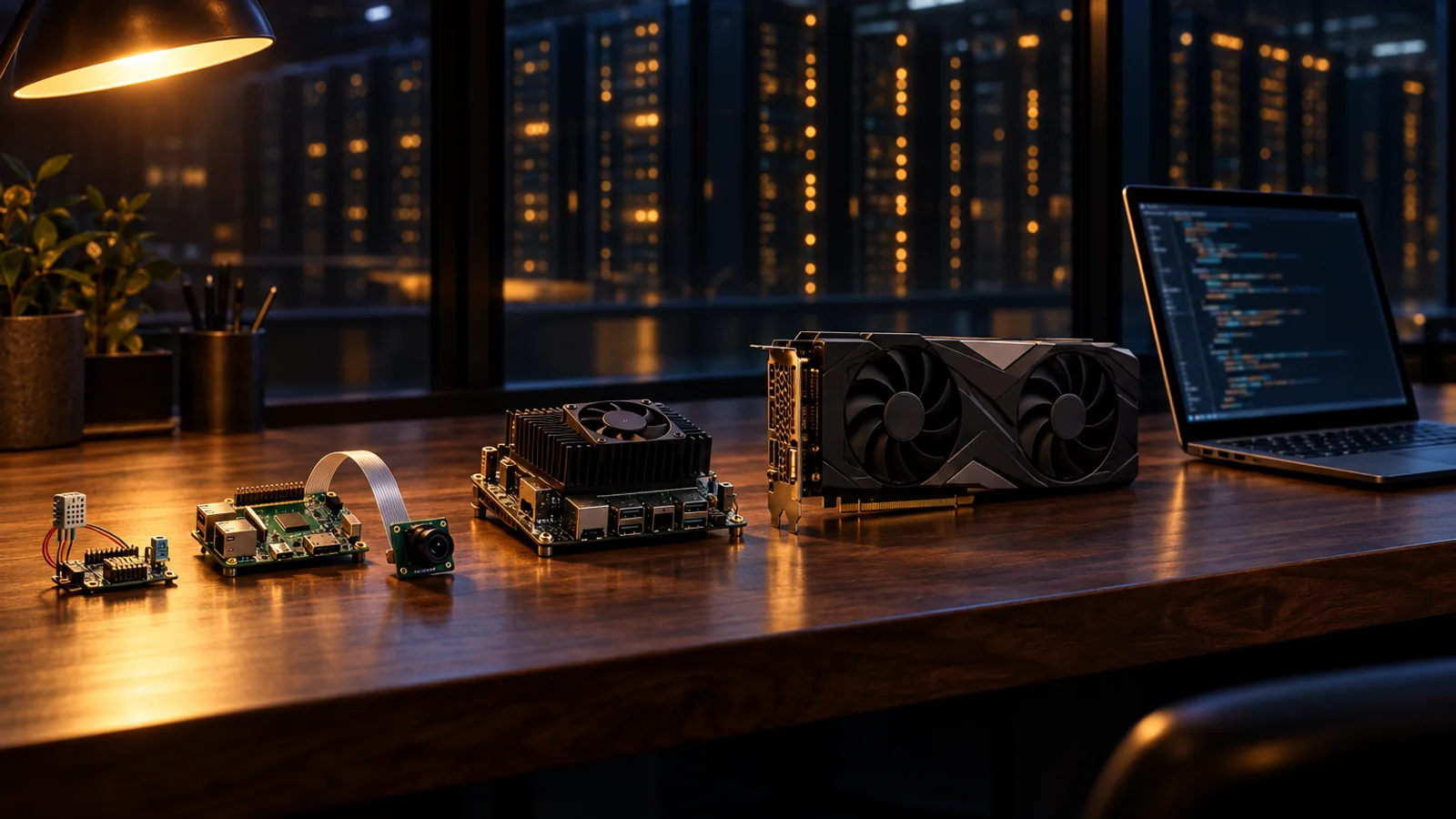
The ladder, laid flat: a sensor board, a single-board computer, an edge module, a desktop GPU and a laptop pointed at someone else's data center. Illustration, AI generated.
In 2012, the neural network most often credited with rebooting modern AI was trained in a bedroom. Alex Krizhevsky, a graduate student at the University of Toronto, ran AlexNet on a home computer at his parents' house fitted with two GeForce GTX 580 gaming cards, three gigabytes of memory apiece, and let it grind for five or six days. That October, in Florence, he presented the result: a winning ImageNet entry with a top-5 error rate of 15.3 percent, against 26.2 for the runner-up. Gaps like that do not move a field forward a step. They move it to a different building.
The detail engineers love is the one founders should remember. AlexNet was split down the middle, half the network on each card, because the whole thing would not fit in the three gigabytes of a single GTX 580. The most famous model of the GPU era hit a memory wall and climbed over it with a second gaming card and some very clever code. Fourteen years later, every AI startup still meets that wall. The only thing that has changed is the number painted on it.
Where the GPU era of AI began: an ordinary room, two gaming cards and a model too big for either of them. Illustration, AI generated.
What has changed even more is the menu. When we mapped NVIDIA's software and model ecosystem for this guide, the catalog ran to 314 product and model families across 25 domains, from a 4-billion-parameter model built to run on a single desktop card to a 550-billion-parameter giant that needs a data center, from robot arms to radio networks. Nobody building a company needs all of it. Most need three or four pieces, chosen in the right order, and the order matters more than the hardware. Choose well and the code you write on a palm-sized board this month can run, with some care, on a data center cluster next year. Choose badly and you either stall on a laptop that cannot hold your model or pay for a GPU that idles while you hunt for customers.
That first choice quietly decides four things: how fast you can put something real in front of a customer, how much of your seed money turns into hourly cloud bills, which engineers you can hire, and whether the model at the heart of your demo is even licensed for commercial use. This guide exists to make that choice on purpose. It covers the stack in plain English, nine concrete starter setups, the napkin math for memory, a five-question test for picking your rung, and seven traps that never make it into a keynote.
Advertisement
01 / origin
The company you are building on was a startup once, too
NVIDIA began as exactly the kind of company reading this guide. In 1993, Jensen Huang, Chris Malachowsky and Curtis Priem spent hours in a booth at a Denny's in East San Jose, talking through a graphics chip company that did not yet have a business plan. Huang, who had washed dishes and bussed tables at Denny's as a teenager in Oregon, later explained the choice of office with impeccable founder logic: "It had all the coffee you could drink and no one could chase you out."
Two years in, the company was close to dead. Its first chip had landed badly, and the graphics architecture it was building for Sega's next console was, Huang concluded, the wrong one. So he did what most founders would rather not do. He told Sega's Shoichiro Irimajiri that NVIDIA could not complete the console, suggested Sega find another partner, and asked to be paid in full anyway, because without that money there would be no NVIDIA. Irimajiri agreed. The five million dollars Sega put into the company bought it roughly six more months, and Huang, retelling the story at National Taiwan University in 2023, reduced it to a single line: "Confronting our mistake, and with humility asking for help, saved NVIDIA."
Sega sold its stake in 2000 for about fifteen million dollars, a trade that only looks sensible if you never check what it would be worth today. The scar tissue stayed with Huang. For years he opened staff presentations by reminding everyone that the company was thirty days from going out of business, and he says he has used the line for more than three decades, trillions of dollars of market value later. It deserves a place above your own desk, because it is the most useful sentence in the semiconductor business.
The second bet built the ecosystem you are about to use. In 2007 NVIDIA released CUDA, a way to program its graphics chips for general-purpose computing, and kept putting the capability on every GPU it made, the cheap gaming cards included, while profits took a beating and shareholders asked what exactly the company was doing. The logic was patient to the point of stubbornness. If every gaming card could run scientific code, then every student, researcher and garage startup was a future CUDA developer. Krizhevsky's bedroom was the first spectacular payoff.
That patience explains NVIDIA's generosity toward founders today. The company gives most of its SDKs away, publishes open models, runs a free startup program and lets you prototype against hosted models without paying. None of that is charity. It is the CUDA strategy applied to you: win the developer early and the data center follows. It is a fair trade for a startup, as long as you make it with your eyes open, which is what the rest of this guide is for.
From a diner booth to the default platform
1993Three founders, one Denny's booth in East San Jose, no business plan.
Mid-1990sA failed console project ends with Sega investing five million dollars, enough for about six months.
1997The RIVA 128 ships and the company survives its first brush with death.
2007CUDA turns graphics chips into general-purpose computers. Profits suffer for years.
2012AlexNet trains on two GTX 580 cards in a Toronto bedroom and wins ImageNet by a mile.
2016NVIDIA Inception launches as a program for AI startups.
2024NIM packages models as ready-to-run microservices with standard APIs.
2025DGX Spark ships at $3,999 with 128 GB of unified memory.
2026Our map of NVIDIA's catalog reaches 314 product and model families, and memory becomes the expensive part of AI hardware.
Nine moments that explain why NVIDIA courts startups: it was one, it nearly died, and its biggest win came from a student with consumer hardware.
02 / the stack
The stack in five layers, in plain English
Most confusion about NVIDIA comes from treating it as one product. It is a stack, and nearly every name in the catalog sits on one of five layers. Learn the layers and the alphabet soup sorts itself onto shelves, which is roughly the moment the documentation stops feeling hostile.
The NVIDIA stack, from services down to silicon
5
Your product lives hereModels and services. What you call or download: Nemotron for language, Cosmos for world models, GR00T for robots, Alpamayo for driving, plus partner models such as Boltz-2 and Evo2. Packaged as NIM microservices, tried through NVIDIA Build and stitched together in blueprints.
4
...and hereFrameworks and platforms. Domain toolkits: NeMo to train, tune, evaluate and guard models; Isaac for robots; Omniverse for simulation; Metropolis and DeepStream for video; Riva for speech; Holoscan for live sensors; BioNeMo, MONAI and Clara for health; DRIVE for vehicles; Aerial for radio.
3
The moatAcceleration libraries. CUDA-X libraries such as cuDNN, cuBLAS, cuDF and cuOpt, plus TensorRT, TensorRT-LLM, Dynamo and NCCL. Frameworks such as PyTorch call the core ones, cuDNN, cuBLAS and NCCL, for you, which is exactly why they are so hard to replace.
2
Your outages live hereSystem software. Drivers, the CUDA Toolkit, JetPack on Jetson, DGX OS, the Container Toolkit and the GPU Operator. Invisible when right, ruinous when wrong.
1
...and hereSilicon. GeForce RTX and RTX PRO cards, Jetson modules, DGX Spark, and H100, H200 or B200 GPUs rented in the cloud. Microcontrollers and Raspberry Pi boards sit beside this layer as clients, not as CUDA devices.
The NVIDIA stack in five layers. A startup's product usually lives in the top two; its worst days usually start in the bottom two.
Two things about this picture matter more than any single product. The first is where the pain lives. Teams rarely fail with NVIDIA because a model was weak. They fail because a driver did not match a toolkit, a JetPack release did not match a module, or a GPU lacked a hardware block that an SDK quietly assumed. Budget real engineering time for layers one and two, even though no customer will ever see them.
The second is continuity. CUDA, TensorRT and most of layer three run, in versions matched to each device, from a Jetson module to a rented H100, so a team can prototype at a desk and deploy to a customer's factory or a cloud region without learning a new programming model. That is the moat NVIDIA spent two decades digging, and as we argued in why NVIDIA is not really a GPU company anymore, it is the part rivals find hardest to copy.
03 / the map
314 families, 25 aisles: what is actually on the shelf
Our catalog sorts the ecosystem into 25 domains, and the shape of the list says something keynotes never do. The single largest aisle is not a glamorous model family. It is CUDA and its core GPU libraries, with 22 entries, followed by NeMo's training and evaluation tools and the biology and medical research models at 21 apiece. Nemotron, the language model line that collects the headlines, fills ten rows.
That proportion is the tell. Models arrive and retire at a dizzying pace: Nemotron alone added three 3.5 language models between August and mid-October. The libraries underneath have been compounding since 2007, and they are where most of NVIDIA's real leverage sits. The practical reading for a founder is blunt: choose models the way you choose dependencies you expect to replace, and choose the platform layer the way you choose a cofounder.
Seven families, 25 aisles, 314 entries
Models you call or download
89 families in 8 aisles
Language, search and safety, speech, physical world and vision, image and 3D, tabular and weather, biology, and physical AI models.
Typical floor: most agent tooling runs on a CPU; serving needs whatever your model needs.
Networks and infrastructure
26 families in 2 aisles
DPUs, switches and telecom, plus containers, Kubernetes, monitoring and the cloud catalogs.
Know first: Container Toolkit, GPU Operator, DCGM, NGC, Brev, DOCA.
Typical floor: a laptop to rent GPUs from; real networking gear only at cluster scale.
The 25 aisles of our catalog grouped into seven families, with the names worth learning first and the hardware each one typically starts on. Counts add up to 314.
The full list of all 314 families, each with a one-line description and a link to its official page, sits in the appendix at the end of this guide. You will not need most of it this year, which is precisely the point.
04 / napkin math
The napkin math that decides your hardware
If you remember one number from this guide, make it bytes per parameter. Memory, not raw speed, decides which rung you can stand on, and it is the first wall every AI team hits, from a Toronto bedroom in 2012 to a seed-stage startup this morning. The good news is that the first estimate fits on a napkin.
A model's weights take roughly 2 GB per billion parameters at BF16, 1 GB at 8-bit and 0.5 GB at 4-bit. A 9-billion-parameter model is therefore about 18 GB in BF16 and about 4.5 GB at 4-bit, before anything else is loaded. Then come the extras: the KV cache, which grows with every token of context and every concurrent user, plus activations and the runtime's own working space. The weights are the rent. The KV cache is the utility bill, and it rises every time a new customer moves in.
Napkin formulaWeights in GB ≈ parameters in billions × bits per parameter ÷ 8. Then add room for the KV cache, activations and runtime, and never plan to fill a card to the brim.
Three kinds of memory get confused constantly, and the confusion is expensive. System RAM is the computer's general memory. VRAM is the memory on a discrete graphics card, and for AI it is the number that counts: a desktop with 64 GB of RAM and a 12 GB card is a 12 GB machine. Unified memory, on Jetson modules and DGX Spark, is shared between the CPU and the GPU, so the figure on the box is also feeding the operating system and your own application. On the new 64 GB DGX Spark, which goes on sale on 23 October, IT Home reports that about 8 GB is reserved for the system, leaving roughly 56 GB for weights and cache.
The newest trap comes from mixture-of-experts models. Nemotron 3 Nano 30B-A3B activates only about 3.5 billion parameters for each token, which makes it quick. It does not make it small. All 30 billion parameters still have to live in memory, roughly 60 GB at BF16 and 15 GB at 4-bit. Active parameters tell you how fast a model talks. Total parameters tell you how big a room it needs.
Will the weights fit? Five Nemotron sizes against five memory pools
Swipe sideways to see all five memory pools.
Modelweights, BF16 / 4-bit
Jetson Orin Nano8 GB*
RTX 409024 GB
RTX 509032 GB
H10080 GB
DGX Spark128 GB*
Nemotron 3 Nano 4B8 / 2 GB
BF16 no 4-bit fits
BF16 fits 4-bit fits
BF16 fits 4-bit fits
BF16 fits 4-bit fits
BF16 fits 4-bit fits
Nemotron Nano 9B v218 / 4.5 GB
BF16 no 4-bit tight
BF16 tight 4-bit fits
BF16 tight 4-bit fits
BF16 fits 4-bit fits
BF16 fits 4-bit fits
Nemotron 3 Nano 30B-A3B60 / 15 GB
BF16 no 4-bit no
BF16 no 4-bit tight
BF16 no 4-bit fits
BF16 tight 4-bit fits
BF16 fits 4-bit fits
Nemotron 3 Super 120B-A12B240 / 60 GB
BF16 no 4-bit no
BF16 no 4-bit no
BF16 no 4-bit no
BF16 no 4-bit tight
BF16 no 4-bit fits
Nemotron 3 Ultra 550B-A55B1,100 / 275 GB
BF16 no 4-bit no
BF16 no 4-bit no
BF16 no 4-bit no
BF16 no 4-bit no
BF16 no 4-bit no
Memory bandwidthdecides speed once it fits
102 GB/sSuper dev kit
1 TB/s
1.8 TB/s
3.35 TB/sSXM
273 GB/s
fits weights use under half the pool tight half the pool or more, little room left for the KV cache no needs the whole pool or more
* Unified memory, shared by the CPU, the operating system and your own application.
Weights only, before KV cache and runtime overhead, using the napkin formula above. Once a model fits, bandwidth decides how fast it answers: DGX Spark can hold the 120B model at 4-bit, while an H100 or an RTX 5090 moves data many times faster. Bandwidth figures are rounded vendor specifications; the Jetson figure is for the Orin Nano Super developer kit.
Capacity is only half of it, because bandwidth decides how fast a model answers once it fits. DGX Spark holds 128 GB but moves data at about 273 GB/s, while an RTX 5090 holds 32 GB and moves it at roughly 1.8 TB/s, more than six times faster. The Spark is a big room with a narrow door: it loads models no gaming card can hold, then serves them at a stroll. That room has also become pricier. The 128 GB Spark launched at $3,999 in October 2025, rose to $4,699 in February as NVIDIA cited tight memory supply, and now lists at $6,950, while a new 64 GB version from partners starts at $4,999. In 2026 memory is the expensive part of AI hardware, and a startup budget should treat it that way.
The weights are the rent. The KV cache is the utility bill.
If you are weighing a desk-side card instead, our RTX 5090 review covers what 32 GB actually buys, and our complete guide to running LLMs locally goes deeper on quantization formats and runtimes. Two final rules belong on the napkin. Fine-tuning needs far more memory than inference, because gradients and optimizer state join the party, which is why GR00T N1.7 runs inference on a 16 GB card but recommends 40 GB or more to fine-tune. And memory on several GPUs does not merge into one big pool by default. Splitting a model across cards takes software built for it, which is exactly the trick Krizhevsky had to write by hand.
05 / starter setups
Nine ways to start, from zero GPUs to a rented H100
Here are the nine starter setups from our research, rearranged as a ladder you climb only when the product pushes you. Each one is a real, buildable starting point: the hardware that actually limits it, the NVIDIA pieces that pair with it and a first project small enough to finish in a few weeks. Where a number is an official minimum, we say so. The rest are capacity-planning examples rather than guarantees, and running several models at once will need more.
Official Isaac Sim x86 minimum: an RTX 4080 with 16 GB of VRAM, 32 GB of RAM and 50 GB of SSD. NVIDIA's recommended tier: an RTX 5080, 64 GB of RAM and a 500 GB SSD.
Test a robot's route in a virtual warehouse, vary racks and lighting, generate camera data and study every failure.
Rung 324 GB RTX PC + RGB-D camera + robot armSpend: low thousands, plus the arm
Our example: a 24 GB card such as an RTX 4090 or newer, 64 GB of RAM and a 1 TB SSD. GR00T needs at least 16 GB of VRAM for inference; the combined pipeline has to be measured.
LoRA-tune a small language model on your own example answers, measure accuracy, shrink it and compare it in a pilot.
The nine starter setups as a ladder, grouped by rung. Figures labeled official or minimum are published requirements; the rest are capacity-planning examples, not guarantees. Highlighted rows are the default first rungs for most software startups (rung 0) and most hardware startups (rung 2).
Rung 0: no GPU at all
The most underrated rung costs nothing in hardware. A laptop with 8 to 16 GB of RAM can call hosted models through NVIDIA Build and NIM endpoints, and NeMo Agent Toolkit can wire those calls into an assistant that searches your own documents and cites its sources. Members of NVIDIA's free Developer Program get hosted endpoints for prototyping and downloadable NIM microservices for development and testing on up to 16 GPUs. If you cannot excite a customer with a hosted model, a GPU will not save you, and you will have learned that for the price of a coffee.
We made the same argument from the other direction in our skeptical look at RTX Spark: unless your data is regulated or has to stay offline, renting frontier intelligence by the token is very hard to beat with a box under the desk. Our local LLM versus cloud breakdown walks through the cases where the balance tips the other way.
Rung 1: sensors that feed a brain somewhere else
The next three setups share one architecture: cheap hardware senses or acts at the edge, a PC or an API does the thinking, and the network in between quietly becomes part of your product. The ESP32-S3 streams sensor readings for a Nemotron model to summarize, the Arduino UNO R4 WiFi executes a short list of commands that a model on a nearby PC is allowed to send it, and the Raspberry Pi 5 ships camera frames to a GPU server running DeepStream and TensorRT. In each case the hard engineering is not the AI. It is deciding exactly what the small board is permitted to do when the big brain is slow, wrong or offline.
Be clear about what these boards are. They are nerve endings, not brains. None of them runs CUDA, Isaac Sim or a large model on board, and the Raspberry Pi's built-in GPU is not a CUDA GPU at all. Their value at this rung is the data they start collecting on day one, which for many industrial and retail startups becomes the real moat long after the model at the other end has been swapped twice.
Rung 2: NVIDIA at the edge
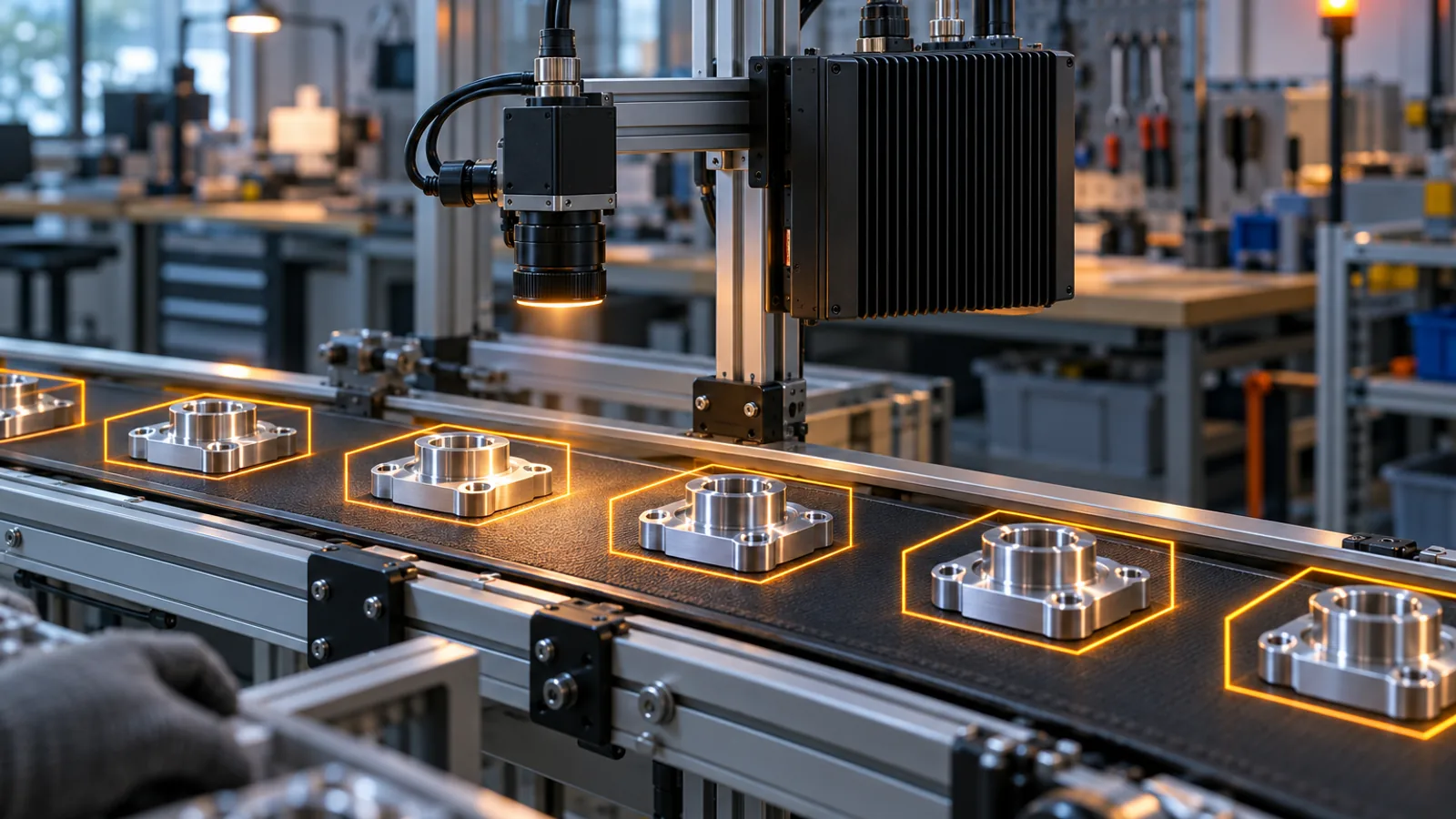
The first rung with an NVIDIA chip on the device is a Jetson Orin Nano: 8 GB of unified memory, a 128 GB NVMe drive in our example build, and a developer kit that launched at $249 and has cost $399 since NVIDIA raised Jetson prices in July 2026. Pair it with the JetPack, TensorRT and DeepStream releases that support the module, and a single USB camera can count parts on a production line, process every frame on the device, log the events that matter and send summaries upstream. Nothing leaves the building that does not need to.
Rung 2 in practice: a palm-sized module, one camera and frames that never leave the building. Illustration, AI generated.
This is the rung where unit economics stop being theoretical. Every customer site needs a box, every box has a bill of materials, and the model has to fit in memory it shares with the operating system. Teams that prototype on a big desktop card often discover here that their model needs to go on a diet, which is what quantization and TensorRT exist for. Better to find that out in month two than in the pilot.
Rung 3: the RTX desk
Three setups live on a desktop RTX card, and they serve very different companies. A robotics team can run Isaac Sim, Isaac Lab and Replicator to test a warehouse robot's route in a virtual building, changing racks and lighting and generating camera data for every failure. NVIDIA's official x86 minimum for Isaac Sim is a GeForce RTX 4080 with 16 GB of VRAM, 32 GB of RAM and 50 GB of SSD, its recommended tier is an RTX 5080 with 64 GB of RAM, and Isaac Lab training wants more on top. Simulation is the cheapest robot you will ever crash.
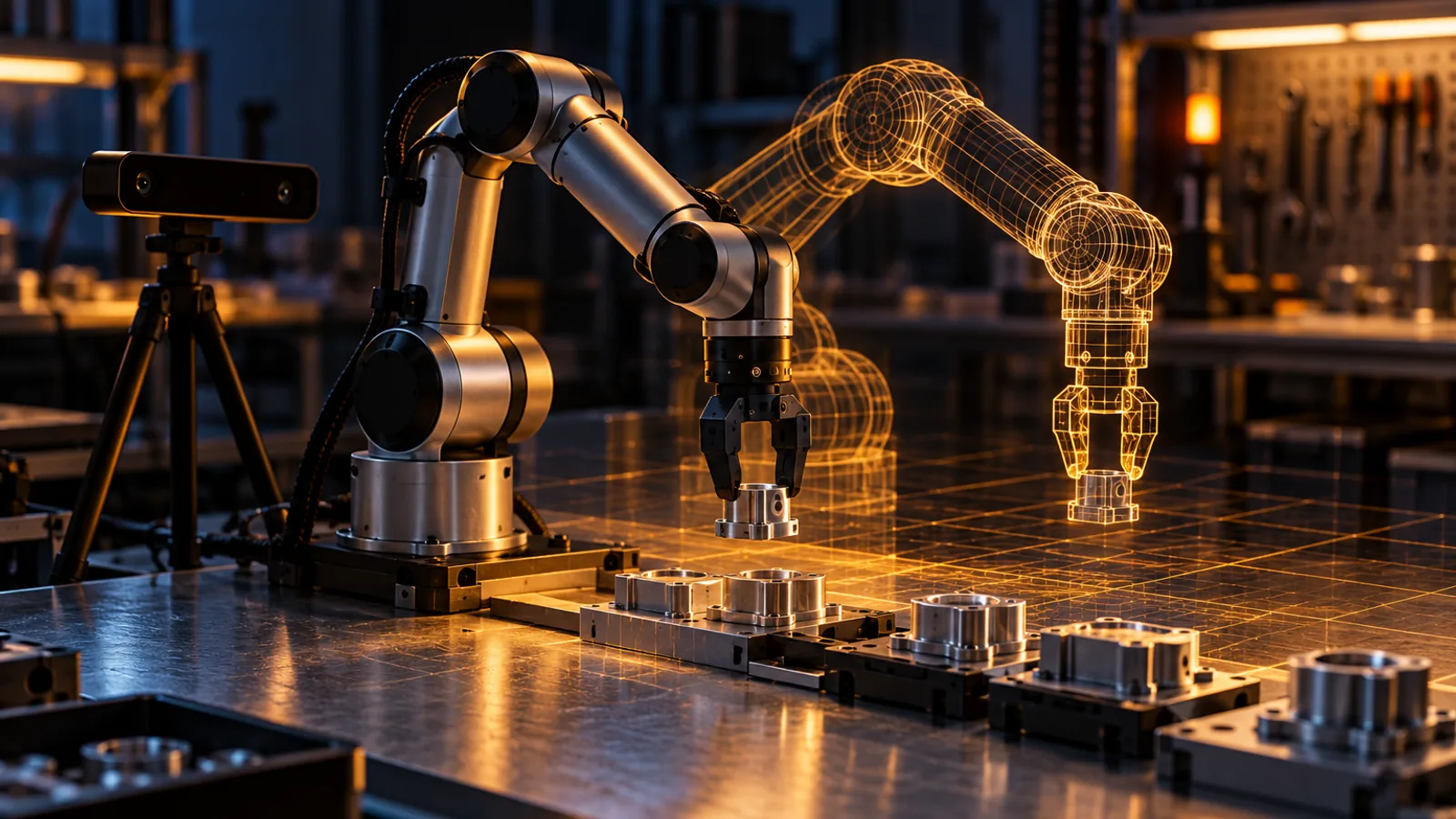
Rung 3: prove the grasp in simulation, then let the real arm follow its digital twin. Illustration, AI generated.
A manipulation startup can step up to a card with 24 GB or more, such as an RTX 4090 or RTX 5090, plus an RGB-D camera and a robot arm. FoundationPose estimates where a part sits and how it is turned, cuRobo plans collision-free motion, and GR00T N1.7, which needs a GPU with 16 GB or more for inference, supplies learned skills. The sane order is to prove the grasp in simulation first, then run slow, supervised trials on the real arm.
The third RTX setup serves media companies rather than robots. NVIDIA Broadcast, which needs at least an RTX 2060-class GPU and 8 GB of RAM, strips microphone noise, swaps backgrounds and keeps a speaker framed during a live class, and the AI for Media SDKs let developers build the same effects into their own products. If your startup ships to creators, your customers' graphics cards are your deployment platform, and the features they can run follow the GPU generation rather than the price tag.
Simulation is the cheapest robot you will ever crash.
Rung 4: rented muscle
The last rung is the one founders reach for too early. A cloud H100 with 80 GB of VRAM, paired with 128 GB of RAM and 500 GB of SSD in our example node, is the right tool for tuning a small language model with LoRA on your company's own example answers, measuring it with NeMo Evaluator, shrinking it with Model Optimizer and testing it against the original in a pilot. On-demand H100s rent for roughly $2 to $12 per GPU-hour depending on the provider, and the direction this year has been up as capacity tightened.
Rent by the hour until the utilization math says otherwise. A LoRA run on a small model is measured in hours, not months, and a GPU you bought would sit idle the rest of the time. Specialist GPU clouds usually undercut the hyperscalers on list price, and our Nebius analysis explains why renting out GPUs is a commodity business the clouds themselves are trying to escape. For a startup, the bigger saving is still the simplest one: turn the meter off between experiments.
06 / decision
Which rung is yours? A five-question test
Most founders never need to read all 314 entries. They need to answer five questions in order and stop at the first yes. Each answer points to a rung and to the handful of NVIDIA pieces worth learning first, which is a far shorter reading list than the catalog suggests.
Five questions, answered in order
Does it have to run where the network is slow, absent or not allowed?
Yes: take the edge path. Prototype on an RTX desk or on rung 0, then deploy on Jetson with JetPack, TensorRT and DeepStream. Speech goes to Riva, robots to Isaac ROS.
Does it move physical things?
Robot arms, mobile robots, vehicles.
Yes: simulate first. An RTX 4080-class or newer card with 16 GB runs Isaac Sim and Isaac Lab, then Isaac ROS, cuRobo and GR00T run on the robot itself.
Is your edge a model that behaves in a way no hosted model will?
Your terminology, your format, your tone, your data.
Yes: rent the muscle. H100-class GPUs by the hour, NeMo AutoModel for LoRA, NeMo Evaluator to prove the gain and Model Optimizer to shrink the result.
Is it an application built on language, speech or vision models?
Assistants, search, document workflows, agents.
Yes: stay on rung 0. NVIDIA Build and NIM endpoints, NeMo Agent Toolkit, NeMo Guardrails and NeMo Retriever. Self-host NIM only when privacy or volume pays for it.
Is it heavy analytics, optimization or recommendation?
Big tables, routes, schedules, rankings.
Yes: CUDA-X on a single GPU. cuDF and cuML for data, cuOpt for routing and scheduling, Merlin for recommenders.
None of the above? If it is science, biology or climate, budget for serious memory from day one. Parabricks alone wants a 16 GB GPU, and 100 GB of system RAM once you run it on two GPUs. The heavier BioNeMo, MONAI and Earth-2 workloads quickly outgrow a desktop card, so price in the cloud early.
Answer in order and stop at the first yes. The test picks a starting rung, not a forever platform.
Notice what the test never asks: which GPU is fastest. Speed matters later, once you know what you are selling. What decides the first rung is where your product has to run and what it has to touch, and founders usually know those answers long before a benchmark does.
Advertisement
07 / traps
Seven traps that quietly burn a seed round
None of these traps appears in a keynote, and each one has cost real teams real money. They are listed roughly in the order founders tend to walk into them, with the habit that avoids each one.
1. RAM is not VRAM
A workstation with 128 GB of system memory and a 12 GB graphics card is a 12 GB machine, not a 128 GB one, and in practice it runs models well under 12 GB. Adding RAM never adds VRAM, and the memory on several GPUs does not merge on its own.
Do instead: size every model against GPU memory, then leave headroom for the KV cache.
2. Active parameters are not resident parameters
Mixture-of-experts models advertise their active parameters because that number explains the speed. Memory follows the total, so a 30B-A3B model is a 30-billion-parameter tenant whatever the brochure says.
Do instead: budget memory on total parameters and enjoy the speed of the active ones.
3. The name is not the budget
Nemotron 3.5 Bolt 74B-A9B 24GB carries a memory figure in its name, yet NVIDIA's own GGUF recipes budget 28 GB for 32 GB-class cards and 32 GB for 48 GB-class cards, and the model card treats 24 GB as a design target at batch size one. TOPS and TFLOPS deserve the same suspicion, because they only compare at the same precision and workload.
Do instead: read the recipe, not the label, and measure with your own context length.
4. Newer is not the same as compatible
Isaac Sim's requirements page says plainly that GPUs without RT cores, the A100 and H100 included, are not supported, so a data center GPU that costs as much as a car cannot run a simulator that a gaming card handles. Current TensorRT releases need a Turing-class GPU (compute capability 7.5) or newer, vGPU wants enterprise cards rather than GeForce, and each JetPack release supports specific Jetson modules.
Do instead: check architecture, driver, operating system, SDK version and hardware blocks such as RT cores and the NVENC video encoder together, before you buy.
5. Open is not the same as commercial
Licenses vary even inside one company. Reading model cards for this guide, we met Apache 2.0 for GR00T's code, the NVIDIA Open Model License for GR00T's weights, the Nemotron Open Model License, which states that works are commercially usable, OpenMDW-1.1 on the Nemotron 3.5 releases, and NVIDIA's non-commercial Source Code License on research code such as Instant-NGP, whose README, like StyleGAN3's, points business users to a licensing form. Partner models on NVIDIA Build carry their own terms, and a listing there does not mean NVIDIA built the model.
Do instead: give every model in your inventory a license line before it goes anywhere near a demo.
6. Free to build is not free to ship
NIM is free for research, development and testing through the Developer Program on up to 16 GPUs. Self-hosting NIM in production requires an NVIDIA AI Enterprise license, which NVIDIA's documentation says begins at $4,500 per GPU per year, with a free 90-day trial to bridge the gap.
Do instead: put the production license in your pricing model on day one, or plan to serve through someone else's endpoints.
7. The GPU is not the whole bill
Founders budget for GPUs and forget the plumbing. Isaac Sim wants 50 GB of SSD just to start. One camera streaming at 4 Mbit/s produces about 43 GB of video a day, so four cameras kept for a week need roughly 1.2 TB. Parabricks asks for at least 100 GB of system RAM and 24 CPU threads on a two-GPU system before its GPUs do anything, and Kumo Engine wants local SSD space of four times the source data.
Do instead: write the storage and RAM lines of the budget before the GPU line.
08 / on-ramps
The free on-ramps, and what they are really for
NVIDIA runs several programs that cost a startup nothing, plus one paid shortcut to rented GPUs, and the free ones are worth joining as soon as you qualify. Just read each one for what it is: a well-built funnel into the CUDA stack, generous because the company expects to be repaid in loyalty and, eventually, in GPUs.
Program
What you get
Cost
The catch
NVIDIA Developer Program
SDK downloads, hosted NIM endpoints for prototyping, and downloadable NIM for development and testing on up to 16 GPUs.
Free
Research, development and testing only; production NIM needs an AI Enterprise license.
NVIDIA Inception
Free self-paced courses, preferred pricing on select hardware and software, cloud credits from NVIDIA and partners, and possible introductions to investors.
Free, no equity, any funding stage
You must be incorporated, under ten years old and have a working website. Hardware discounts arrive as rebates, and partner credits come on partners' terms.
NVIDIA AI Enterprise trial
A 90-day production license for NIM, with support and API stability.
Free for 90 days
Afterwards, pricing begins at $4,500 per GPU per year.
NVIDIA Build
Browser and API access to NVIDIA and partner models, plus blueprints to copy.
Free credits to prototype
Rate limits apply, and partner models carry their own licenses.
Brev
On-demand cloud GPU development environments.
You pay for the GPU you rent
A front door to someone's cloud, so watch the meter.
Join Inception as soon as you are incorporated and have a working website. It is free, and its two most useful benefits for an early team, preferred hardware pricing and cloud credits, cut exactly the costs this guide keeps warning about. Then design for an exit you hope never to use: keep your application talking to standard interfaces, such as the OpenAI-style APIs that NIM language model endpoints expose, containerize everything, and treat proprietary SDKs as accelerators rather than foundations, unless the SDK is your product.
09 / context
When NVIDIA is not the answer, and why it usually still is
Honesty requires the other side of the ledger. Apple's new Mac Studio with the M5 Ultra offers up to 512 GB of unified memory and more than four times the memory bandwidth of DGX Spark, which makes it an excellent quiet box for running very large open models, although without CUDA none of NVIDIA's GPU-accelerated SDKs run on it. AMD's Ryzen AI Max systems pack 128 GB of unified memory at prices well below the Spark's, and AMD's Instinct accelerators compete hard on memory capacity in the cloud, with a ROCm software stack that has matured but stays thinner outside the mainstream frameworks. Google's TPUs and AWS Trainium can be compelling at scale and tie you to one cloud. And for many software startups, a frontier model behind an API beats every box on this list.
Option
Where it shines
Where it bites
NVIDIA: RTX, Jetson, DGX Spark, cloud GPUs
One programming model from edge to data center, simulation, the deepest SDK catalog
Memory prices, layered licensing, lock-in by design
Apple Mac Studio
Very large unified memory, high bandwidth, near silence
No CUDA, so none of NVIDIA's GPU-accelerated SDKs
AMD Ryzen AI Max and Instinct
Cheaper 128 GB unified memory on the desk, big memory pools in the cloud
Thinner tooling outside mainstream frameworks
Google TPU, AWS Trainium
Cost efficiency at scale inside one cloud
Single-cloud dependence
Hosted frontier APIs
The strongest models, zero hardware
Per-token costs, and your data leaves the building
The reason NVIDIA still wins most first decisions is breadth, not benchmarks. No other vendor covers a palm-sized edge module, a desktop simulator, a data center GPU and the software that joins them with one programming model and one hiring pool. That breadth is also the lock-in, so take it knowingly: use NVIDIA where it is unmatched, at the edge, in simulation and in GPU-heavy training, and keep the rest of your stack boring and portable.
10 / plan
A 90-day plan for the first rung
A plan is only useful if it tells you what not to do. This one keeps you on the cheapest rung for as long as possible and turns every climb into a decision rather than a reflex.
Ninety days, four phases
Days 1 to 14Prove demand on rung 0Join the Developer Program now, and Inception as soon as you are incorporated. Build the thinnest version on hosted endpoints with NeMo Agent Toolkit, and log every request, because those logs become your evaluation set.
Days 15 to 45Measure before you optimizeTurn the logs into an evaluation harness with NeMo Evaluator, probe for failures with garak, an open-source scanner for LLM vulnerabilities, add NeMo Guardrails, and do the memory math for self-hosting even if you never self-host.
Days 46 to 75Climb only where the product pushesEdge products get a Jetson and DeepStream. Robots get Isaac Sim on an RTX 4080-class or newer card. A custom model gets rented H100 hours, LoRA through NeMo AutoModel and quantization through Model Optimizer.
Days 76 to 90Price the unitBenchmark serving with AIPerf or profile pipelines with Nsight Systems, work out the cost per request or per device, and decide buy versus rent with real utilization numbers. Put the production license on the spreadsheet.
Four phases, one rule: every climb up the ladder has to be paid for by something the product needs.
If your product lives or dies on inference cost, keep the metric we unpacked in tokens per watt next to your cost per request. Ninety days is enough to learn whether you have a product. It is rarely enough to justify owning serious silicon, and if the plan ends with you still renting, that is not a failure. It is the plan working.
When the numbers do justify owning hardware, the decision turns into an infrastructure project, and our AI factory blueprint is the place to start, with Vera Rubin NVL72 as the view from the very top of the ladder. Few startups will ever need that view, and the ones that do will get there by climbing, not by jumping.
11 / verdict
The verdict: pay for the rung, not the ladder
NVIDIA has built the deepest toolbox in computing, and the only truly wrong way to use it is all at once. Start on the cheapest rung that can embarrass you in front of a real customer. Rent before you buy, because a GPU you own on day one is a bet on a product you have not finished. Do the memory math before every purchase, read the recipe rather than the label, and put a license line next to every model you touch.
And remember the bedroom. The breakthrough that turned a graphics company into the engine of the AI era did not come from the biggest machine of 2012. It came from a sharp question, modest hardware and the stubbornness to work around a memory wall. Krizhevsky did not need a data center. He needed the right two cards and a better question. So do you.
12 / faq
Questions founders ask
Do I need an NVIDIA GPU to start an AI startup?
No. A laptop with 8 to 16 GB of RAM can call hosted models through NVIDIA Build and NIM endpoints, and NVIDIA's free Developer Program covers prototyping. Buy or rent GPUs only when latency, privacy, cost per request or an offline requirement forces you to.
What is the cheapest NVIDIA hardware for running AI on a device?
The Jetson Orin Nano Super developer kit, with 8 GB of unified memory, is the usual entry point for on-device AI with JetPack, TensorRT and DeepStream. It launched at $249 and has cost $399 since NVIDIA raised Jetson prices in July 2026. Microcontrollers such as the ESP32-S3 or the Arduino UNO R4 WiFi cost less, but they act as sensors and actuators and do not run CUDA or large models.
How much GPU memory does a language model need?
For the weights alone, roughly 2 GB per billion parameters at BF16 and 0.5 GB at 4-bit, so a 9-billion-parameter model needs about 18 GB or 4.5 GB. Add memory for the KV cache, activations and runtime. Mixture-of-experts models need memory for all of their parameters, not only the active ones.
Can Isaac Sim run on an H100 or A100?
No. NVIDIA's Isaac Sim requirements state that GPUs without RT cores, including the A100 and H100, are not supported. The official x86 minimum is a GeForce RTX 4080 with 16 GB of VRAM, 32 GB of RAM and 50 GB of SSD space, and the recommended tier is an RTX 5080 with 64 GB of RAM.
Is NVIDIA Inception free, and does it take equity?
NVIDIA Inception is free and takes no equity, and funding stage and revenue do not matter. Applicants must be incorporated, less than ten years old, run a working website and have a clear use for NVIDIA technology; consulting firms, resellers, cloud providers and listed companies are excluded. Members get self-paced courses, preferred pricing on select hardware and software, cloud credits from NVIDIA and partners, and possible introductions to investors.
Can I use NVIDIA's open models in a commercial product?
Often, but check each model card. The Nemotron Open Model License states that works are commercially usable, the Nemotron 3.5 releases use OpenMDW-1.1, and GR00T N1.7 pairs Apache 2.0 code with weights under the NVIDIA Open Model License, while research code such as Instant-NGP uses a non-commercial license. Partner models listed on NVIDIA Build carry their own terms.
Is NIM free to use in production?
No. NIM is free for research, development and testing through the NVIDIA Developer Program on up to 16 GPUs. Self-hosted production use requires an NVIDIA AI Enterprise license, which NVIDIA says begins at $4,500 per GPU per year, with a free 90-day trial.
Should a startup buy a DGX Spark or rent cloud GPUs?
Rent first in most cases. DGX Spark holds up to 128 GB of unified memory but moves data at about 273 GB/s, and the 128 GB model now lists at $6,950. It suits teams that must keep large models local for privacy or offline work; for bursty training and experiments, hourly cloud GPUs are usually the cheaper path.
13 / glossary
Glossary for your first week
Twenty terms you will meet again and again in NVIDIA's documentation, defined the way you will actually need them. Keep this section handy, because the documentation rarely stops to explain itself.
CUDA
NVIDIA's platform for programming its GPUs for general-purpose computing, released in 2007. Almost everything else in the stack is built on it.
VRAM
The memory on a discrete graphics card. For AI work it is the number that decides which models fit.
Unified memory
Memory shared by the CPU and GPU, as on Jetson modules and DGX Spark. The operating system and your application share it with the model.
BF16, FP8, FP4 and 4-bit
Number formats for model weights. Fewer bits per parameter means less memory and usually more speed, at some risk to accuracy.
Quantization
Converting a model's weights to fewer bits so it fits, and runs faster, on smaller hardware.
KV cache
Memory a language model uses to keep track of the conversation so far. It grows with context length and with every concurrent user.
Mixture of experts (MoE)
A model that activates only some of its parameters for each token. Fast, but every parameter still has to fit in memory.
LoRA
A fine-tuning method that trains small add-on weights instead of the whole model, which cuts memory and cost.
Inference and fine-tuning
Inference runs a trained model. Fine-tuning updates it and needs far more memory.
NIM
NVIDIA's packaged model microservices with standard APIs: free for development and testing, licensed for production.
TensorRT
NVIDIA's compiler and runtime that optimizes trained models for fast inference on its GPUs.
JetPack
The operating system, drivers and AI software stack for Jetson modules.
Blueprint
A reference application that wires NVIDIA components into a working example, such as RAG or video search.
RT cores
Ray tracing hardware on RTX GPUs. Isaac Sim requires them, and the A100 and H100 do not have them.
Compute capability
NVIDIA's version number for a GPU architecture: 7.5 for Turing (RTX 20 series), 8.9 for Ada (RTX 40 series), 9.0 for Hopper (H100). SDKs use it to decide which GPUs they support.
GGUF
A file format for quantized model weights, used by llama.cpp and the local tools built on it.
SXM
NVIDIA's socketed module form of its data center GPUs, mounted on the board instead of in a PCIe slot. SXM parts run at higher power with faster links, and the H100 SXM is markedly quicker than the H100 PCIe card.
TOPS and TFLOPS
Trillions of operations, or floating-point operations, per second. Vendors quote peaks at their most flattering precision, so compare only like for like.
RGB-D camera
A camera that records color and depth for every pixel, which lets a robot locate objects in three dimensions.
vGPU
NVIDIA's software for sharing one physical GPU among several virtual machines. It is licensed separately and runs on data center and professional cards, not GeForce.
14 / appendix
Appendix: the full map, and the old names
All 314 families, by aisle
Every family in our catalog, grouped into its 25 aisles, with a one-line description and a link to the official page or model card. Status tags flag research code, previews, limited access and partner models, which deserve an extra look at license and support terms before a customer depends on them.
1. Language and multimodal models 10
Nemotron 3 Nano 4BSmall on-device language model for instruction following and tool calling.
Nemotron Nano 9B v2Previous-generation small hybrid language model for text generation and reasoning.
Nemotron 3 Nano 30B-A3BMixture-of-experts text model with 30B total and 3.5B active parameters.
FrameViewLogging and benchmarking tool for frame times, performance and supported power metrics.
NVIDIA StudioEcosystem of creative apps, Studio drivers and compatible PCs; not a model or SDK on its own.
Old names you will still meet in tutorials
Older tutorials and sample projects still use these names. Here is how each maps to the current product or status, so a stale blog post does not send you down a dead end.
NVIDIA AI Enterprise support has ended. Check the lifecycle notice before reviving an old security or anomaly pipeline.
Advertisement
sources / method
Sources and method
This guide is built on a catalog compiled on 21 October 2026 from official NVIDIA product documentation, model cards and project repositories, with the claims in the article rechecked against current sources on 22 October 2026. Research, early-access and partner models are flagged as such, and a listing on NVIDIA Build or NGC does not by itself mean NVIDIA developed a model. Requirements change with every release, so check the linked page before you buy hardware. Gigabyte figures are approximate decimal capacities, and prices are list prices at the time of writing.